
GIF-style media
Save the silent looping MP4 that X commonly serves for an animated post.
Open the GIF guide →GIF-style MP4 · video qualities · images · galleries
Paste a direct public X or Twitter post link. Review the files made available for that post, choose the right quality, and save without an account login or browser extension.
Paste a direct public status URL to see the files made available for that post.
Lookup requests use public third-party services. Downloads may use a public CORS relay when a media host blocks a direct browser request. How privacy works.
Use the mixed-media tool above, or open a focused page when you already know what the post contains.
Save the silent looping MP4 that X commonly serves for an animated post.
Open the GIF guide →Compare every available MP4 variant instead of receiving only the first result.
Open video downloader →Save each available photo separately and avoid a lower-quality screenshot.
Open image downloader →A Twitter GIF is usually not a traditional .gif file. X converts most timeline animations into silent, looping MP4 video, so this Twitter GIF downloader finds the GIF-style MP4 already attached to the public post instead of re-recording or recompressing it.
The same public-post lookup works as an X GIF downloader for x.com links. If the post contains a standard video, use the Twitter video downloader to compare returned MP4 qualities. For photos or multi-image posts, the Twitter image downloader lists each available image separately.
Use a complete /status/ link from x.com or twitter.com. Supported FxTwitter, VxTwitter, and FixupX links work too.
Results can include GIF-style MP4s, ordinary video variants, single photos, or every returned image in a gallery.
Choose from the qualities exposed for that post. The tool does not invent an HD or 4K file when the source does not provide one.
A useful Twitter GIF downloader should explain the output before asking you to save it. The familiar animation in a post is usually a silent looping MP4, not a traditional GIF image.
Choose the returned MP4 when you want the animation in the format used for public playback. It usually keeps smoother motion, more colors, and a smaller file than a re-encoded GIF. This is the format the homepage saves for animated posts.
.gifSome forums, older publishing systems, and custom emoji tools require the .gif extension. Save the best available MP4 first, then convert a permitted copy with a tool you trust. Conversion may increase file size or reduce color quality.
A standard video may include sound and several MP4 variants. A photo post can contain one image or a gallery. Use the focused video or image downloader when that is your primary task.
| Your goal | Best first file | What to do next |
|---|---|---|
| Save a looping animation at its available quality | GIF-style MP4 | Download the returned MP4 and keep it as the source copy. |
Upload where only .gif is accepted | GIF-style MP4 | Convert a permitted working copy after download, then check size and color. |
| Edit your own animation | Highest available MP4 | Edit from that source and export separate copies for each destination. |
| Save a photo or multi-image post | Available image files | Use the image tool and download each gallery attachment separately. |
Need the technical detail? Read why a Twitter GIF downloads as MP4 and the practical GIF-versus-video checklist.
The best input is the direct status URL from the original public media post. Quotes, cards, profiles, and shortened redirects can hide the actual source.
See every stepUse the public post’s share action or full browser address.
Check the media type, aspect ratio, and all returned quality variants.
Keep creator context and use only media you are permitted to download.
The downloader needs the public status that owns the media. A profile, search result, quoted-post preview, or website card can look like the right page while pointing somewhere else.
Open the original post, choose Share, and copy its link. A supported address uses HTTPS, a recognized X or Twitter hostname, and a /status/ path followed by the numeric post ID. The tool also accepts supported FxTwitter, VxTwitter, and FixupX status links.
On desktop, copying the address bar is reliable after you have opened the individual post. On iPhone or Android, use Copy link from the share menu instead of copying text from a timeline preview.
The tool does not sign in to X, use your cookies, inspect direct messages, or bypass account visibility. It cannot retrieve a file from a private account, deleted status, login-gated post, region restriction, or age restriction.
A link card may show an image or player owned by another website rather than native post media. A quoted post can also own the animation you see. Open that original source and copy its direct public status URL before trying again.
The copy-and-paste workflow stays the same. Only the folder where your browser saves the MP4 or image changes by device.
Copy the post link in X, paste it into Safari, and download the returned GIF-style MP4. Look in Safari Downloads or the Files app if it does not appear in Photos.
iPhone GIF download guide →Paste the public post URL in Chrome or another modern browser, choose the available file, and check your Downloads folder when the transfer completes.
Android GIF download guide →Open the original status in a desktop browser, copy its address, then select the MP4 or image variant you need. The file normally goes to your browser’s Downloads folder.
Desktop and mobile GIF guide →The complete cross-device guide to saving GIF-style X posts and understanding the MP4 file you receive.
Read guideWhy the file says MP4 even though the post says GIF—and when you should keep that efficient native format.
Read guideA clean iPhone workflow from Copy Link to Safari Downloads, Files, preview, and optional Photos import.
Read guideWork from the post link to the browser download folder and isolate the exact point where a GIF-style media save failed.
Read guide
X commonly delivers timeline animations as compact silent video. Images can arrive as JPG, PNG, or WebP, and ordinary videos may offer several MP4 qualities.
Explore media formatsX Saver provides clipboard paste, quality selection, recent scans, and a downloads library for Android users.
Get X Saver on Google Play ↗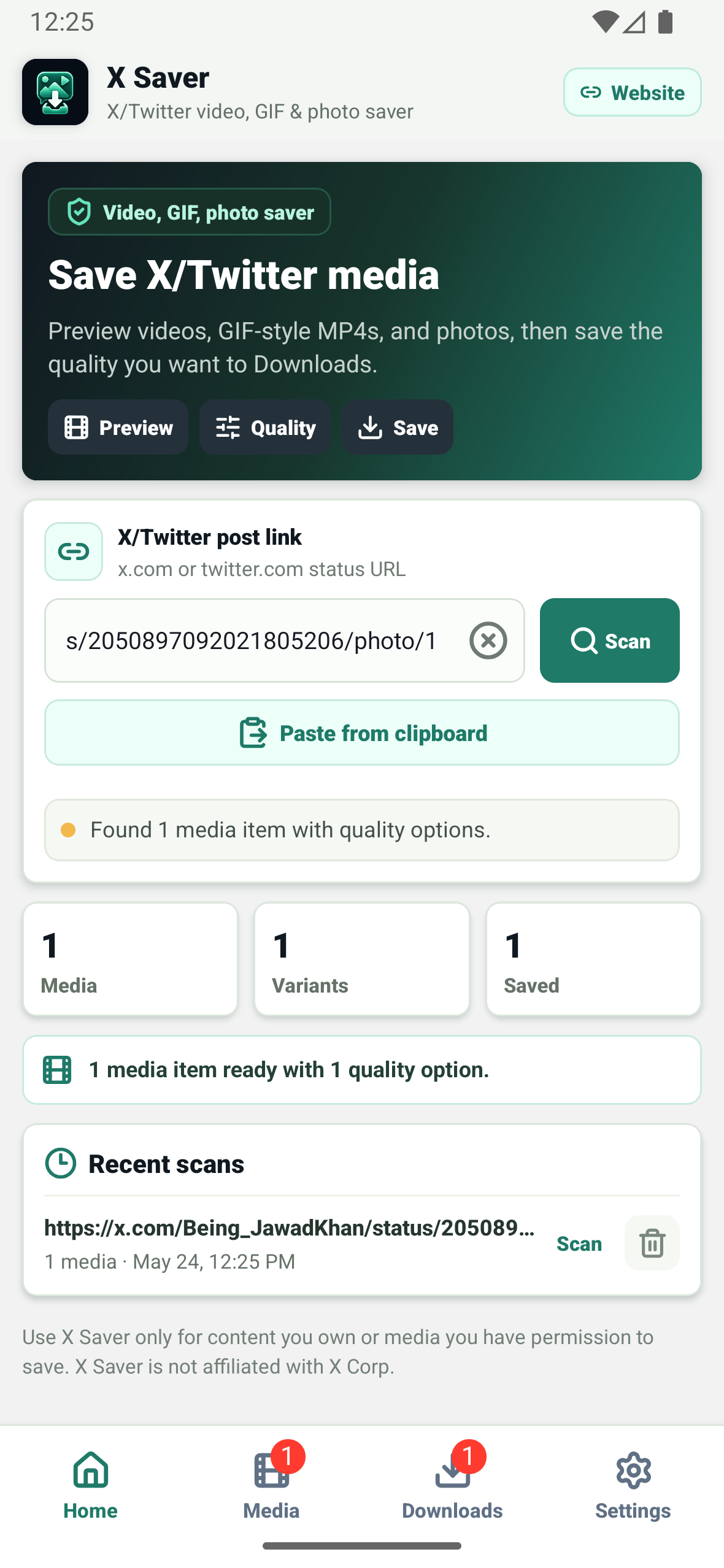
If a valid public link still returns no media, use the download troubleshooting guide.
Copy the direct link to the public post, paste it into the downloader, and select Find media. When the post contains an animation, choose the available GIF-style MP4 result and download it.
X commonly delivers GIF-style animations as silent looping MP4 files. MP4 is usually smaller, smoother, and better supported than a traditional GIF.
Yes. The web downloader works in a modern mobile or desktop browser. On iPhone and iPad, check Safari Downloads or Files; on Android, Windows, and Mac, check the browser’s usual Downloads folder.
Use a complete HTTPS status link from x.com or twitter.com. Mobile subdomains and supported FxTwitter, VxTwitter, and FixupX status links are also accepted when they point to a public post.
When a public post exposes multiple native photos, the downloader lists the returned images separately so you can save each available gallery item without taking screenshots.
Check that you copied the original public post’s direct status URL. Private, deleted, age-restricted, region-restricted, or card-only posts may not expose a downloadable native media file.
No. The tool resolves public post data and does not authenticate into private accounts, direct messages, deleted posts, or restricted media.
No. It saves an available public media file and does not add a watermark. Marks already present in the creator’s media remain.
No. This tool preserves the GIF-style MP4 made available for the public post. Save that source first, then convert a permitted copy only when another app specifically requires the .gif extension.
The animation shown in the timeline is commonly a looping video rather than a standalone .gif image. A direct public post lookup can expose the MP4 file used for playback.
No. The downloader runs in a current browser on mobile and desktop. An optional Android app is available, but it is not required for the web workflow.